

Reality Capture Context for Existing Buildings
Drone, 360, and immersive visual documentation that helps project teams understand the site before they design, coordinate, or make decisions.
Existing-condition drawings and models are the baseline. Visual context adds the “what does this actually look like?” layer.
Drawings show what is there.
Context helps the team understand it.
A plan, model, or point cloud can answer a lot. But when the project team needs to see roof access, surrounding site conditions, finishes, ceiling conditions, exterior relationships, or what the space actually feels like, visual context becomes the easy button.
It bridges the gap between technical documentation and real-world understanding—so architects, owners, consultants, and contractors can move faster with fewer assumptions and clearer alignment.
Reduce follow-up visits
Give the team a shared visual record they can revisit before asking someone to return to the site.
Coordinate faster
Architects, owners, consultants, and contractors review the same conditions instead of relying on scattered photos or memory.
Understand complex spaces
Roofs, basements, historic buildings, schools, restaurants, and irregular sites become easier to interpret visually.
Support better decisions
Combine imagery with CAD, Revit, scan data, and field notes to move forward with fewer unknowns.
Look around the space from a single captured position.
A 360 photo lets the project team pan in every direction and better understand spatial conditions, finishes, and context relationships.
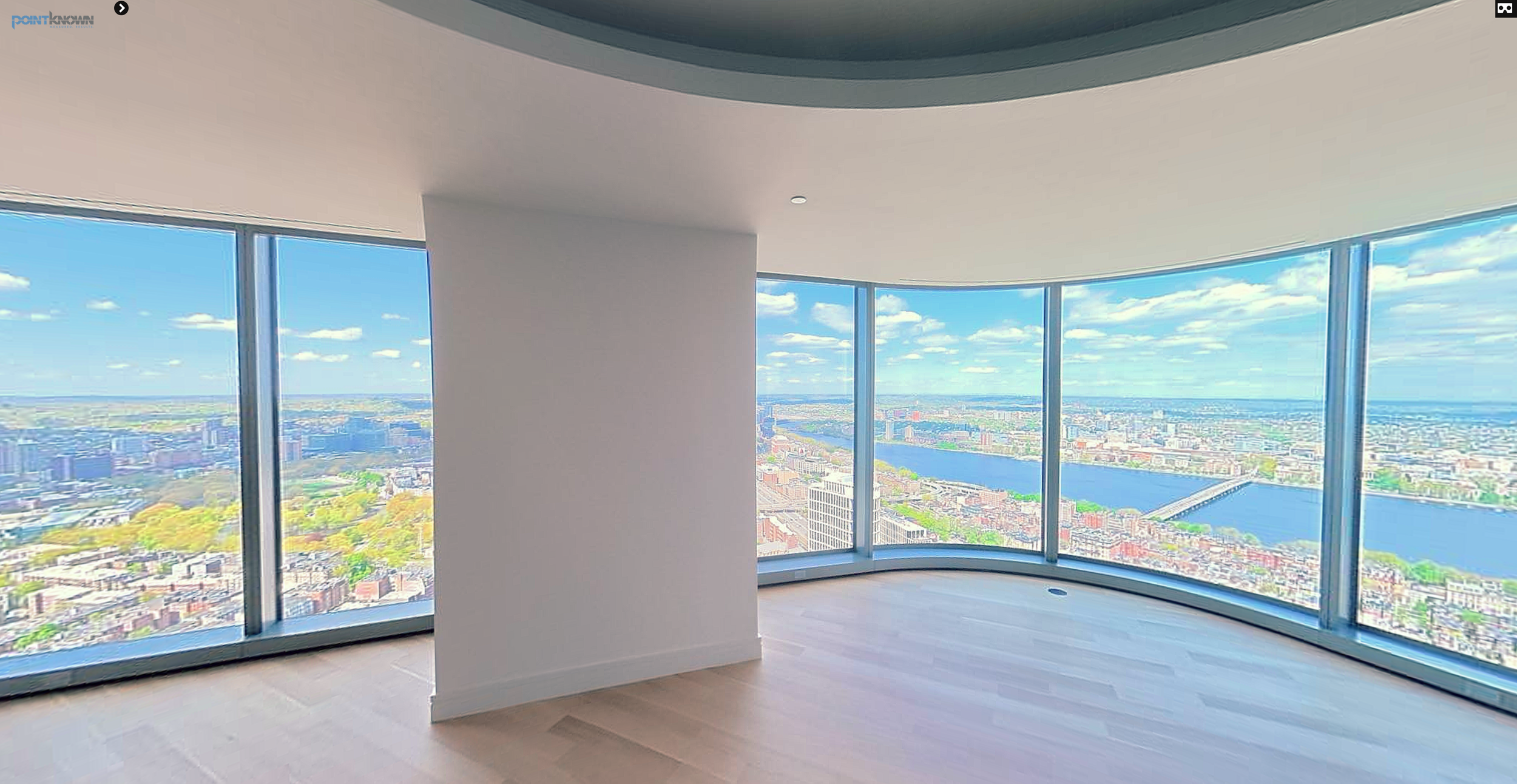
Explore the space in full direction
Click to load the interactive 360 view.
Single-position 360 capture used for spatial understanding and design coordination.
Site, roof, access, and surroundings from the angles that matter.
Drone imagery helps teams understand the larger setting: rooflines, equipment, slopes, waterfront or urban constraints, site access, neighboring buildings, facade relationships, and conditions that are hard to understand from the ground alone.
When paired with field capture, drone context also helps tell the project story — what we captured, where we were, and why the visual record matters to the next phase of work.
Roof, property, access, and surrounding context in a single frame.
Drone photography captures the spatial reality of a site — scale, circulation, roof geometry, access constraints, and surrounding conditions that are difficult to understand from ground-level documentation.
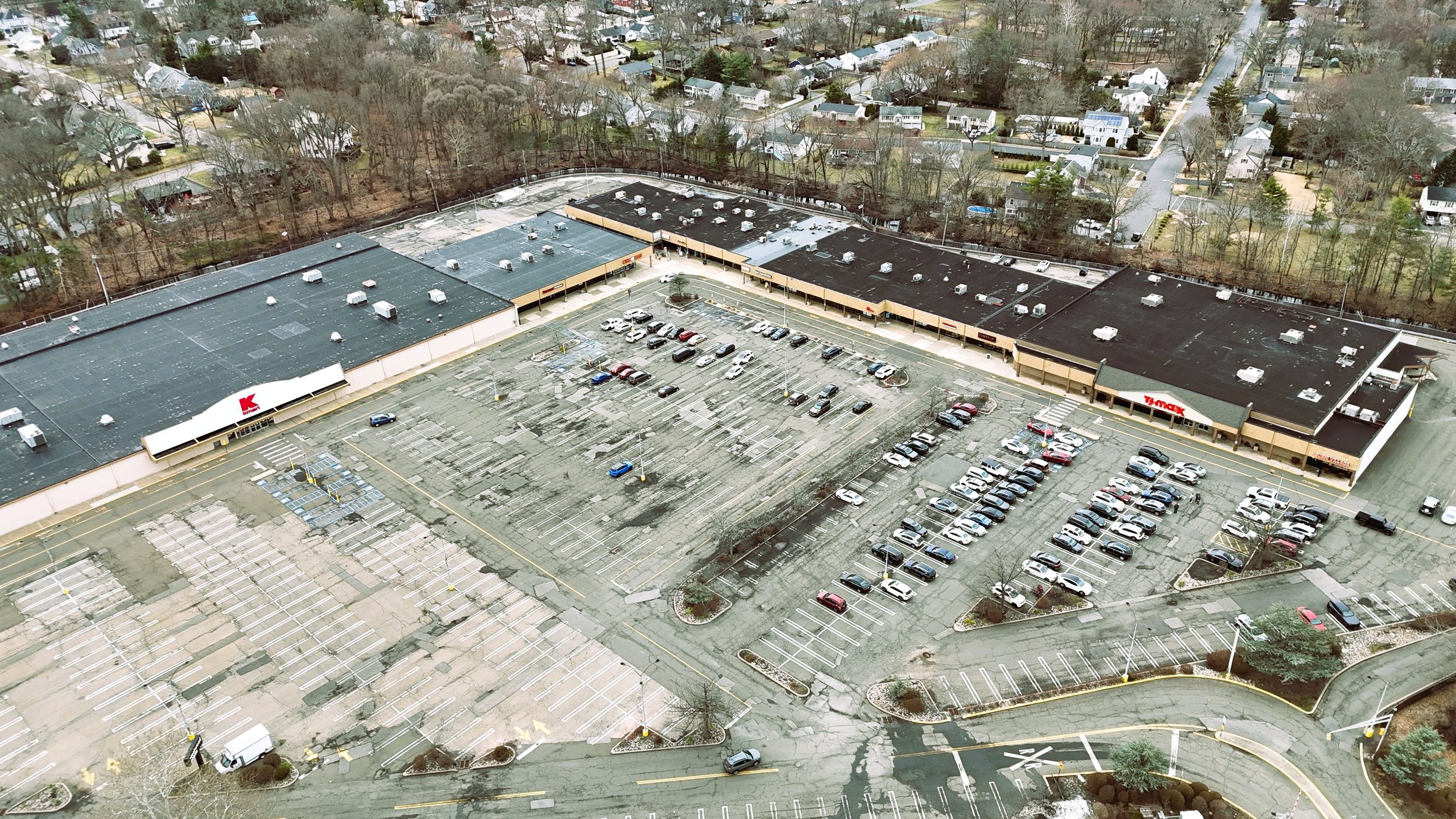
Westwood, New Jersey shopping plaza
Tenant relationships, roof areas, parking, access, circulation, and surrounding neighborhood context.
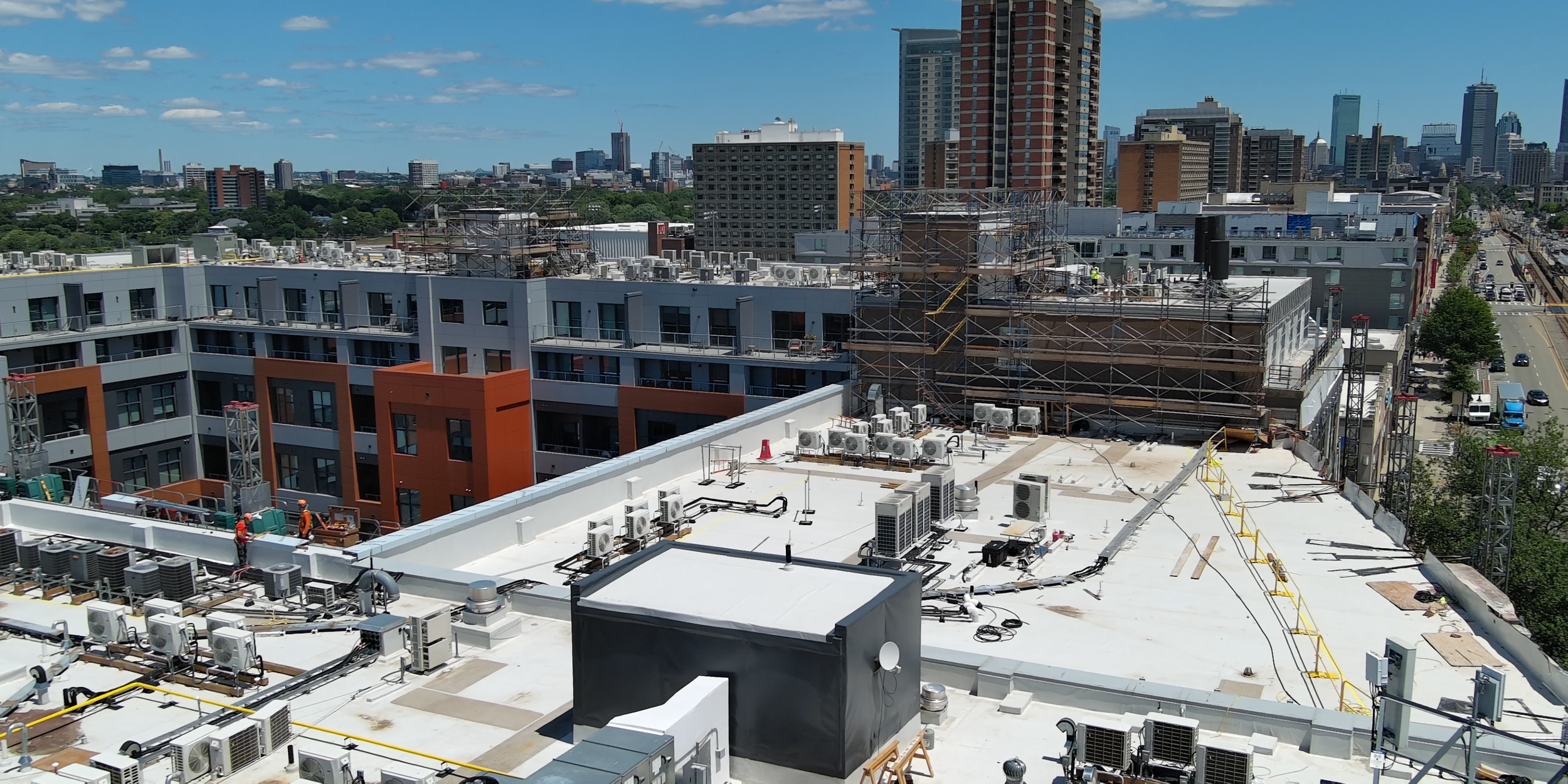
Commonwealth Avenue, Brighton
Rooftop equipment, active work areas, adjacent buildings, and the Boston skyline in the background.
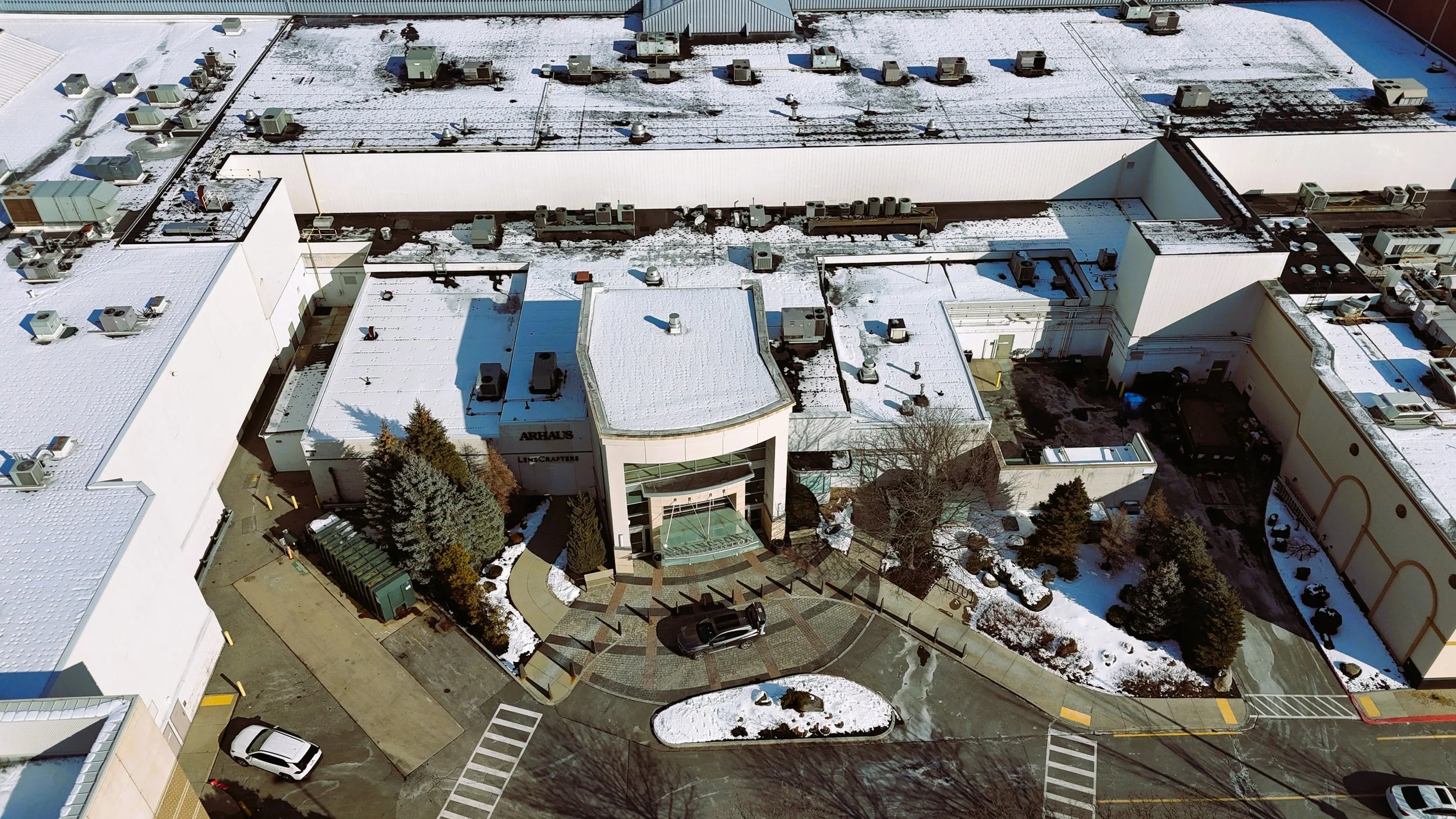
Burlington Mall
Entrance conditions, rooftop equipment, circulation, service access, and adjacent building relationships.
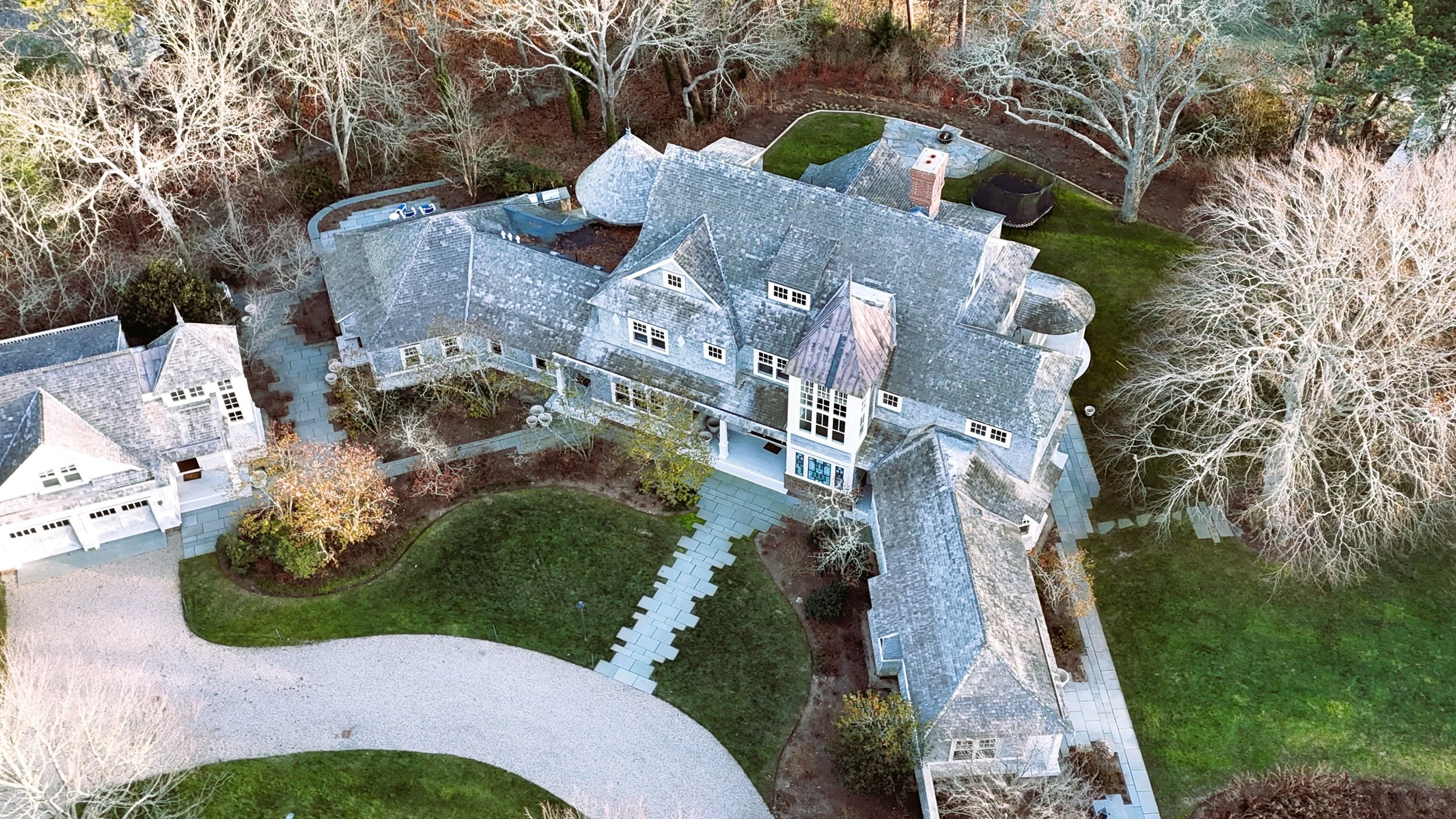
Marstons Mills residential property
Dormers, chimneys, additions, courtyards, roof intersections, and connected building forms from above.
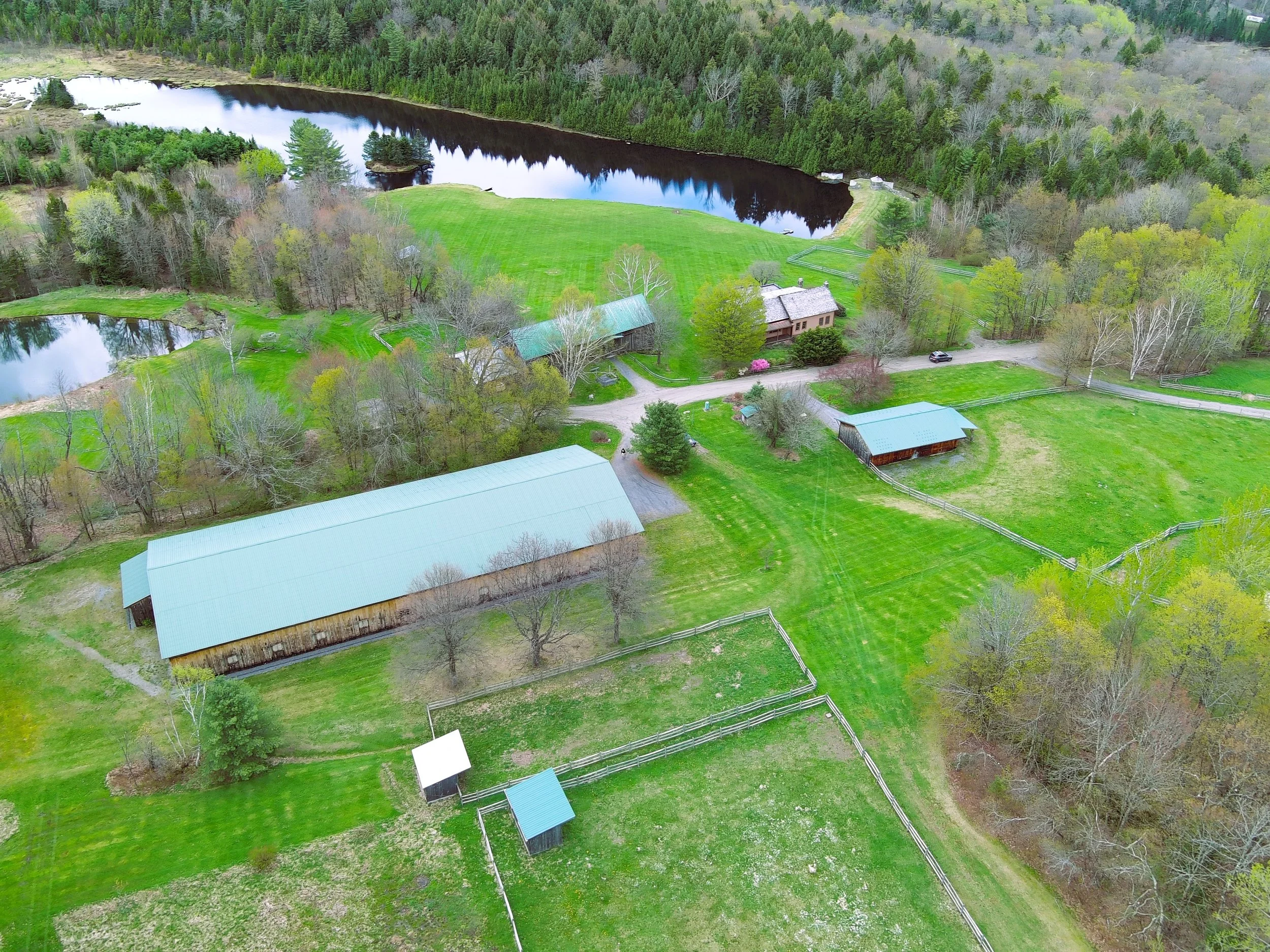
Morristown, Vermont
Buildings, drives, fields, water, fences, and the broader property seen as one coordinated site.
When the team needs to re-orient themselves inside the space.
Photos are helpful. But restaurants, historic buildings, roofs, campuses, and complex interiors often need something more spatial — a way to revisit the condition, move through it, and understand how the pieces relate.
Move through the building while retaining the freedom to look around.
360 video provides a more immersive understanding of circulation, structure, and movement through an existing building. While embedded playback is available below, the full interactive experience is best viewed on YouTube, where you can freely click, drag, and look in any direction throughout the walkthrough.
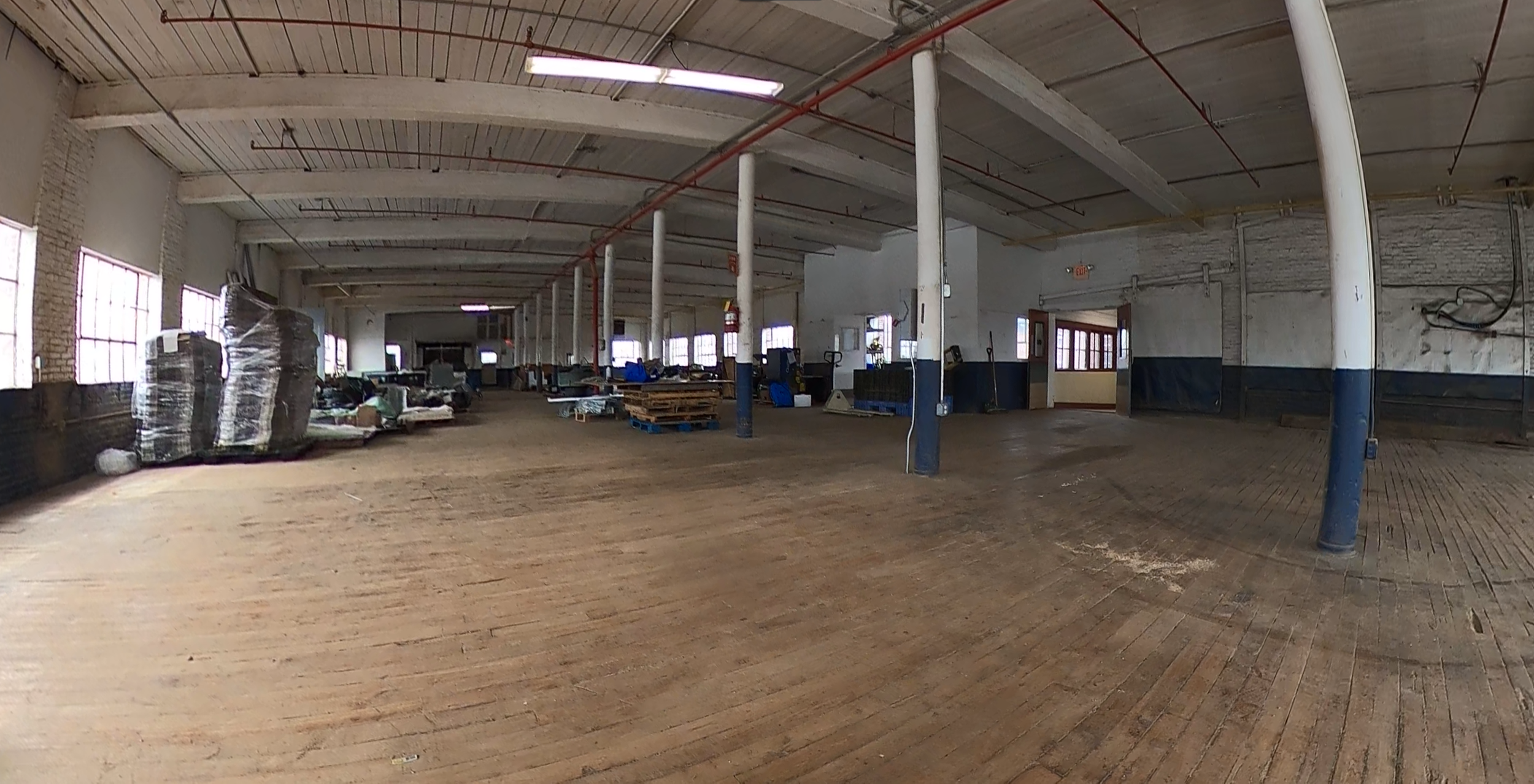
Explore a two-minute 360° walkthrough
For the full interactive 360° experience—including click-and-drag navigation and unrestricted viewing—use the YouTube logo within the player to open the video directly on YouTube.
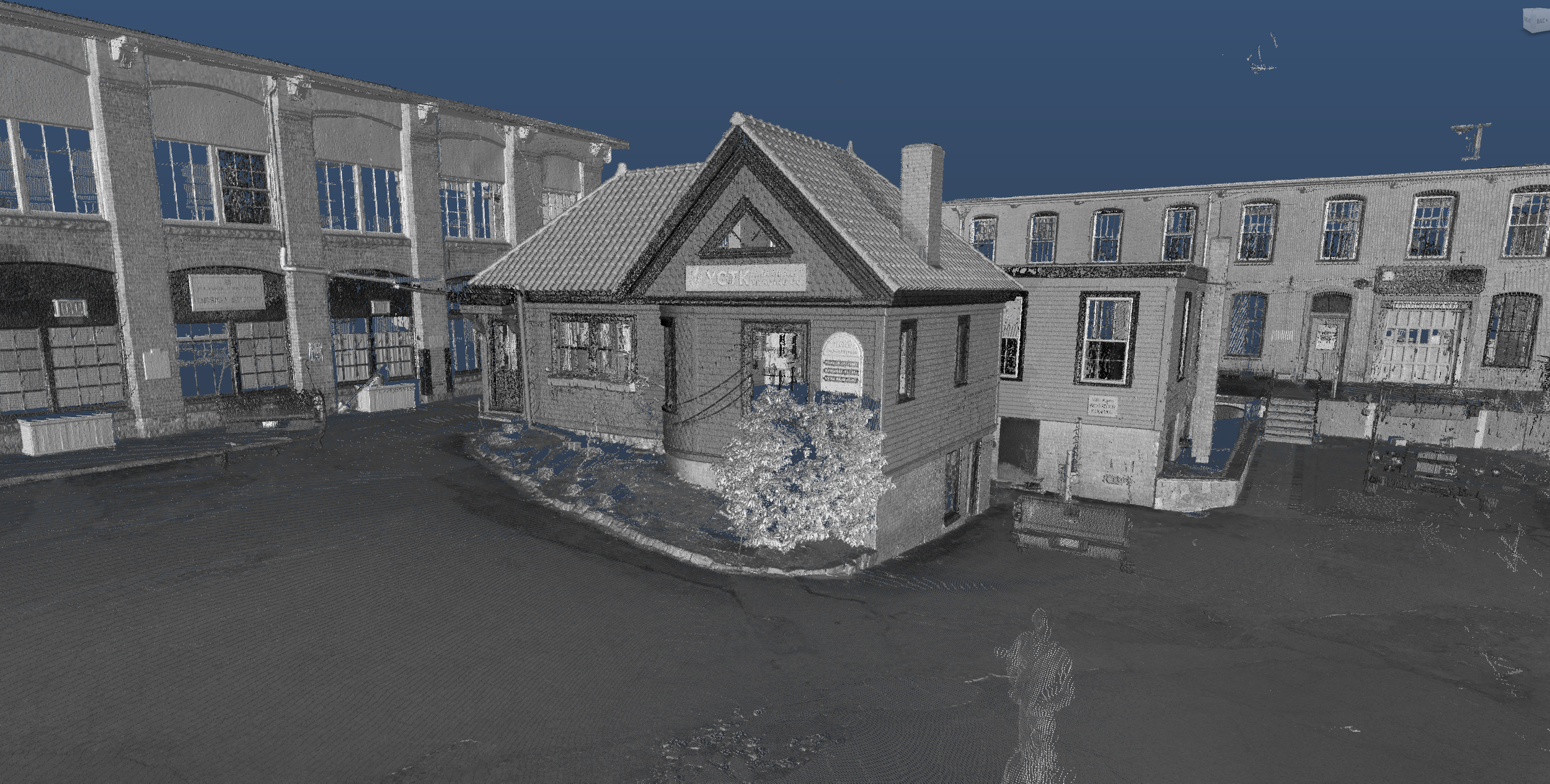
The visual layer is backed by spatial data.
Point clouds provide the measured record behind existing-condition documentation. Drone, 360, photography, and immersive imagery help the wider project team understand what that data represents.
Used together, these layers make it easier to move between measurable geometry and the real building without asking every stakeholder to become a point-cloud specialist.
Immersive context for interiors, exteriors, and complex existing conditions.
Gaussian splat imagery gives teams a navigable visual environment for reviewing real-world conditions with far more spatial clarity than static imagery.
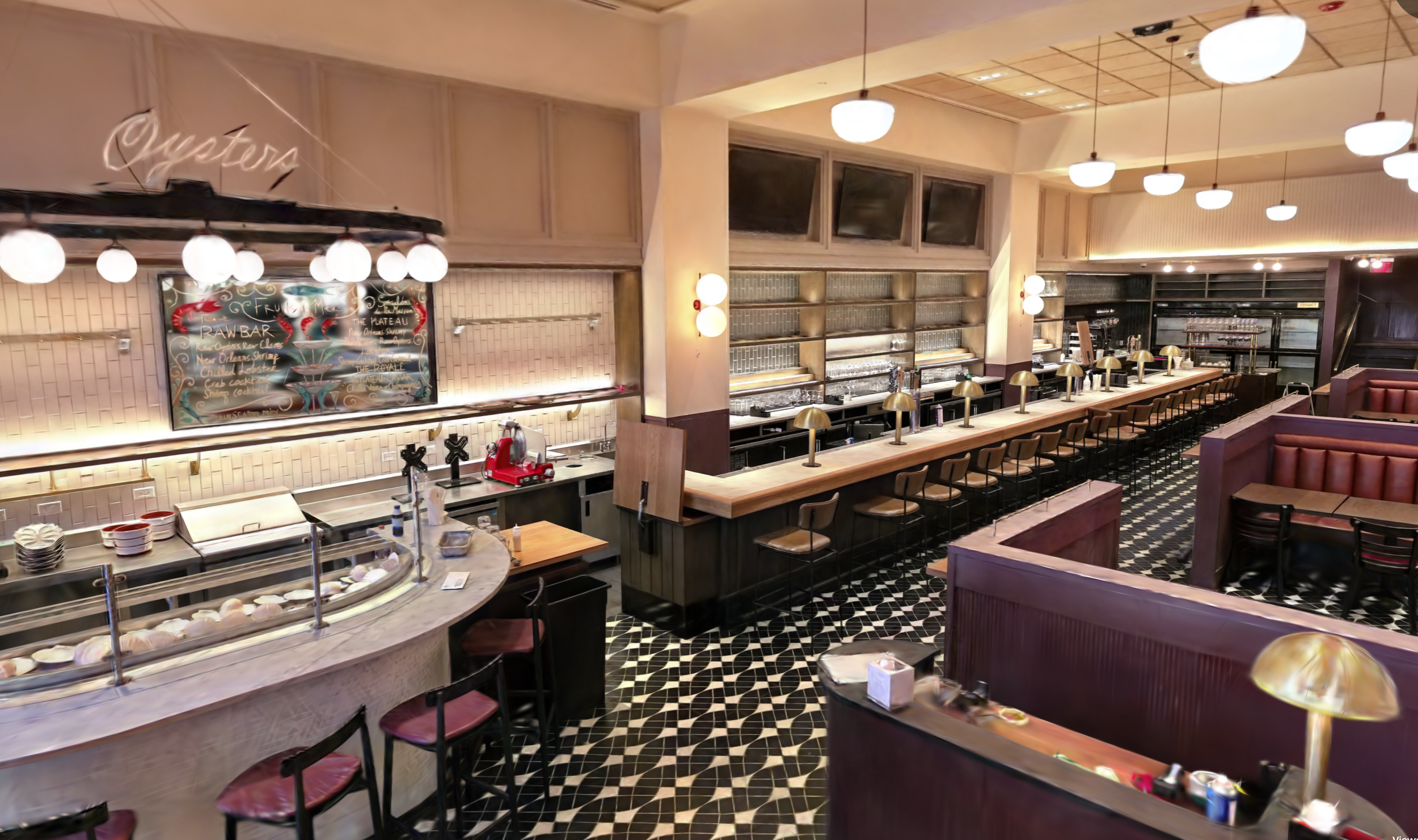
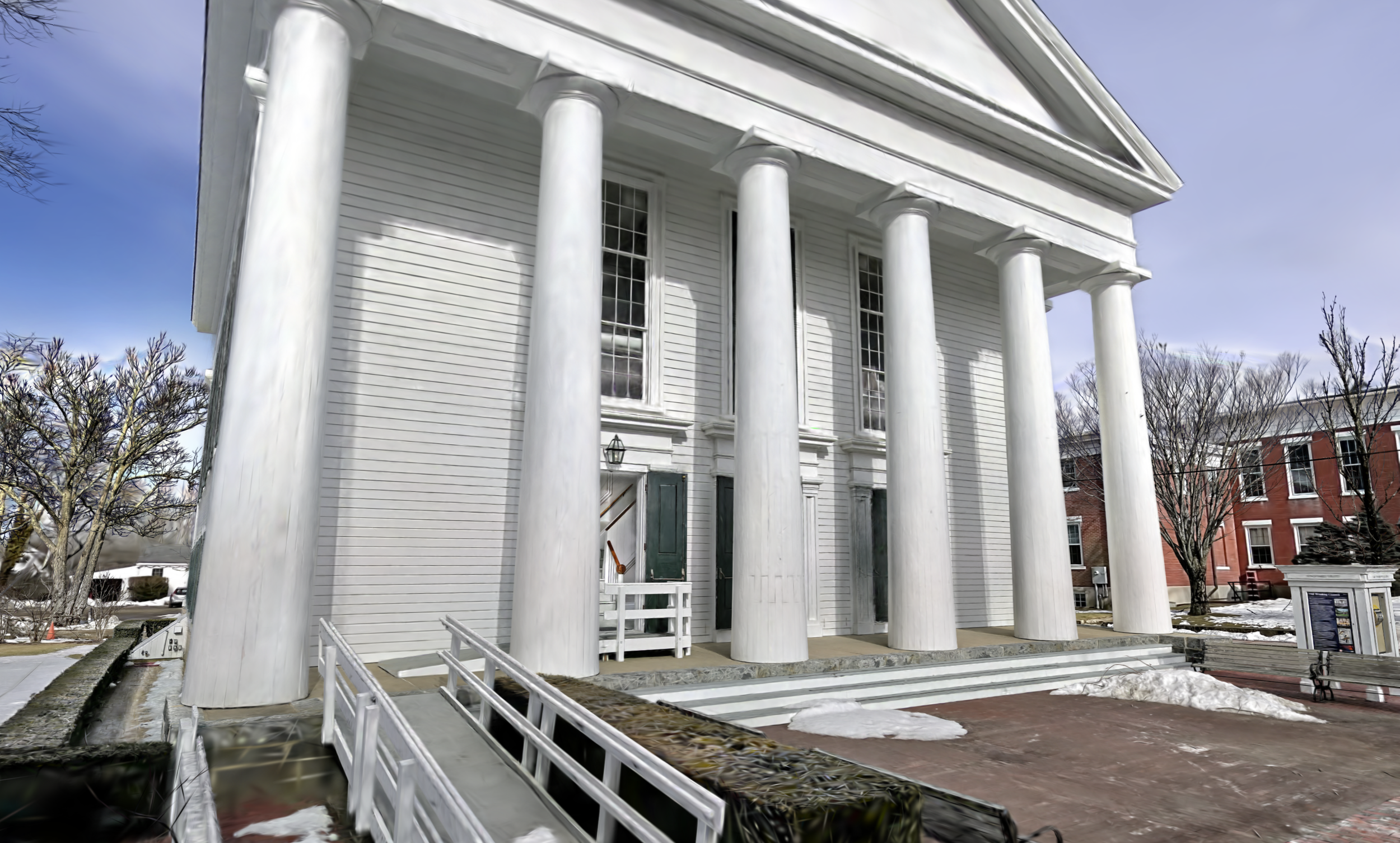
Splat viewers open in a new tab for performance and full-resolution navigation.
Use the right visual layer for the question the team is trying to answer.
Not every project needs every capture type. We help match the deliverable to the use case so the team gets practical context without paying for visual extras they will not use.
Best for understanding the bigger picture: rooflines, approaches, surrounding buildings, grade, equipment, and hard-to-reach exterior conditions.
Best when the team needs to review views, finishes, ceilings, openings, and spatial relationships in every direction.
Best for showing movement through a space while still letting viewers pan and orient themselves during the walkthrough.
Best for complex interiors, historic exteriors, irregular spaces, restaurants, and conditions where still photos do not fully communicate the space.
Best when the team needs drawings or models as the baseline, with drone, 360, and immersive media as the supporting visual record.
Need visual documentation for your existing conditions package?
Share the project address, scope, and how your team plans to use the information. We’ll help define the right mix of drone photography, 360 capture, walkthrough video, splat imagery, and technical documentation so your team gets exactly what they need — without unnecessary overhead.