

Carnegie Heights Residence
A full-context existing-conditions package for a waterfront residence—captured, modeled, documented, and shared so the client and design team could move forward with confidence from day one.
Not just a model.
A complete starting point
For this waterfront property, Pointknown created a package that gives the next team more than measured geometry. The project combined technical documentation, model files, immersive review tools, drone context, exterior media, and organized file sharing into one coordinated handoff.
That matters on complex residential work. The architecture, roof geometry, grade, hardscape, shoreline context, exterior features, and visual references all influence early decisions. Our role is to capture enough context, translate it cleanly, and deliver it in formats the client and project team can use immediately.
Site information the team can actually see
Drone imagery, exterior photos, video, and 360 review tools give the client a richer understanding of the property than drawings alone can provide.
A full package from capture to client handoff
The process is not just documentation. It is a structured workflow that moves from field capture, to technical translation, to a fully organized handoff the entire team can use immediately.
Capture
Collect the full story — We documented the residence, exterior conditions, site relationships, shoreline context, and visual references through a coordinated capture effort.
Translate
Build usable deliverables — Field information was converted into clean Revit, SketchUp, CAD, and PDF outputs—organized around how design teams actually work.
Share
Make the client look ready — The handoff included drawing sheets, model views, drone media, 360 imagery, and a shared project folder so the team could review, communicate, and hit the ground running.
Existing conditions captured across every critical system
A coordinated documentation package that brings together site context, modeling, drawings, and visual clarity so the next team can start with confidence instead of assumptions.
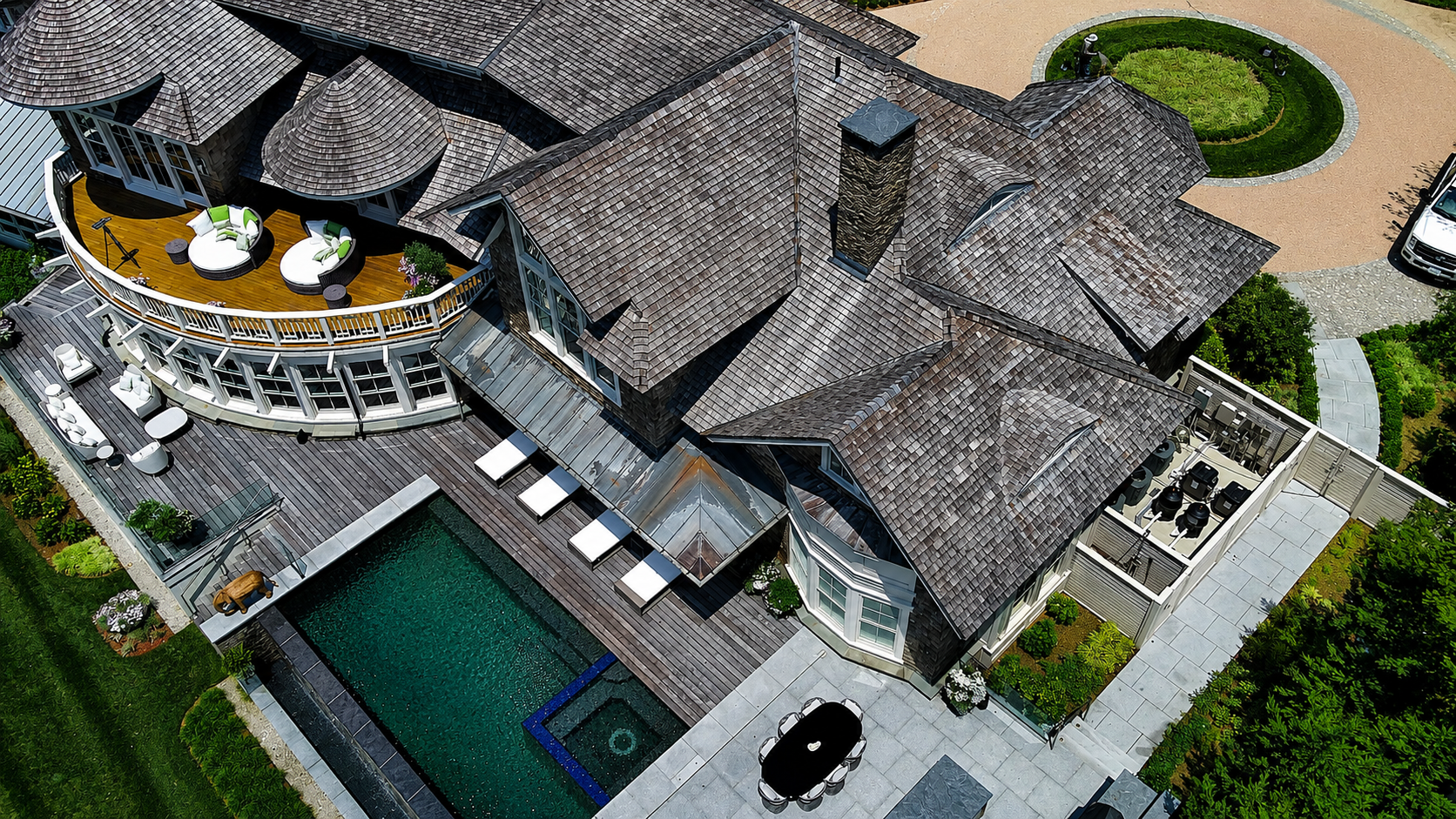
Waterfront context, captured clearly
High-level site views help the team understand the residence in relation to the shoreline, landscape, arrival sequence, and surrounding property conditions.
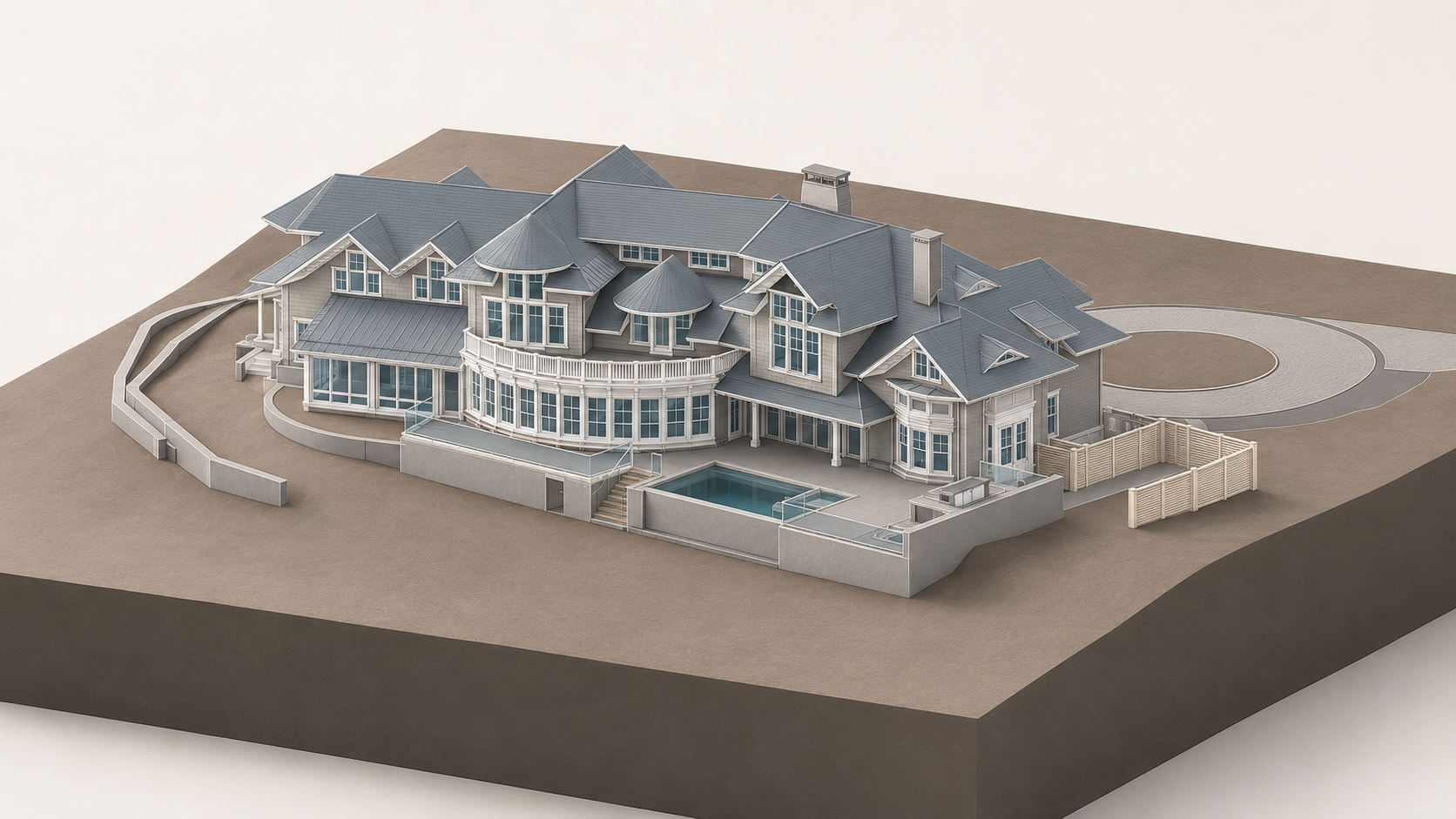
A clean model foundation
The Revit model gives the design team a coordinated baseline for roof forms, exterior geometry, openings, terraces, and major site relationships.
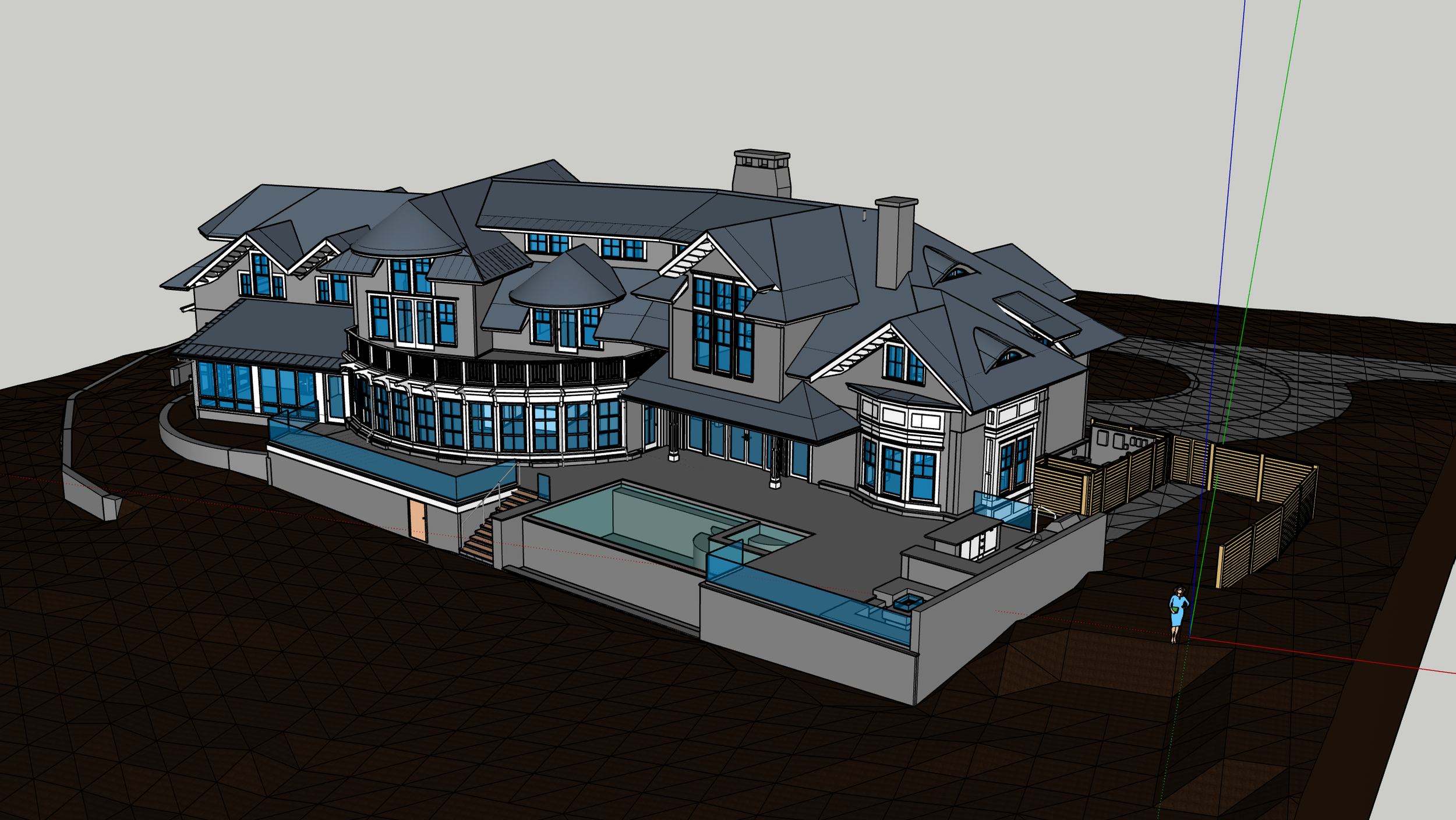
Flexible visual context
A SketchUp model supports quick orientation, massing review, design conversations, and client-facing communication.
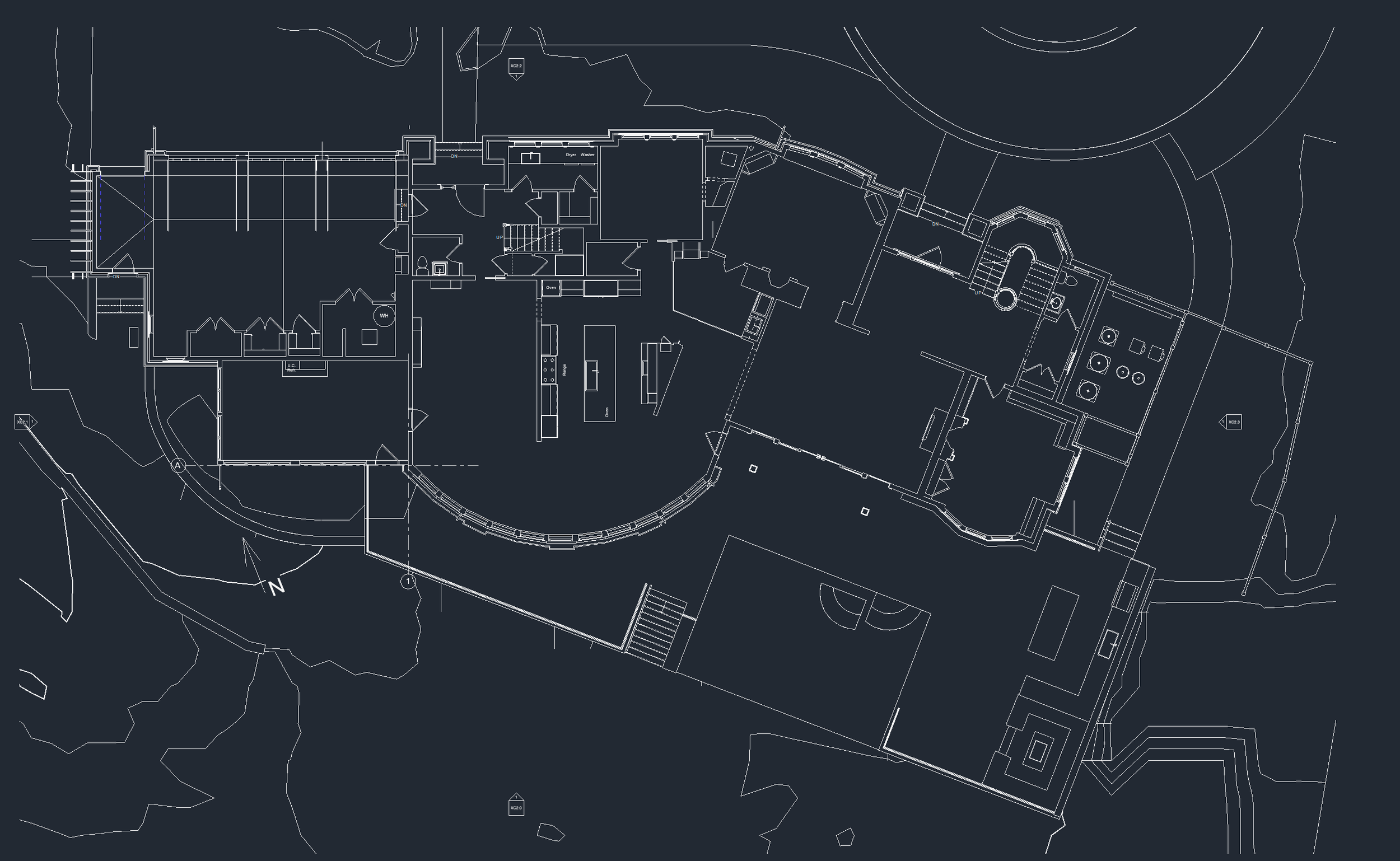
Plans that support decisions
Technical drawings are organized so the next team can understand space, circulation, geometry, and project scope without starting from scratch.
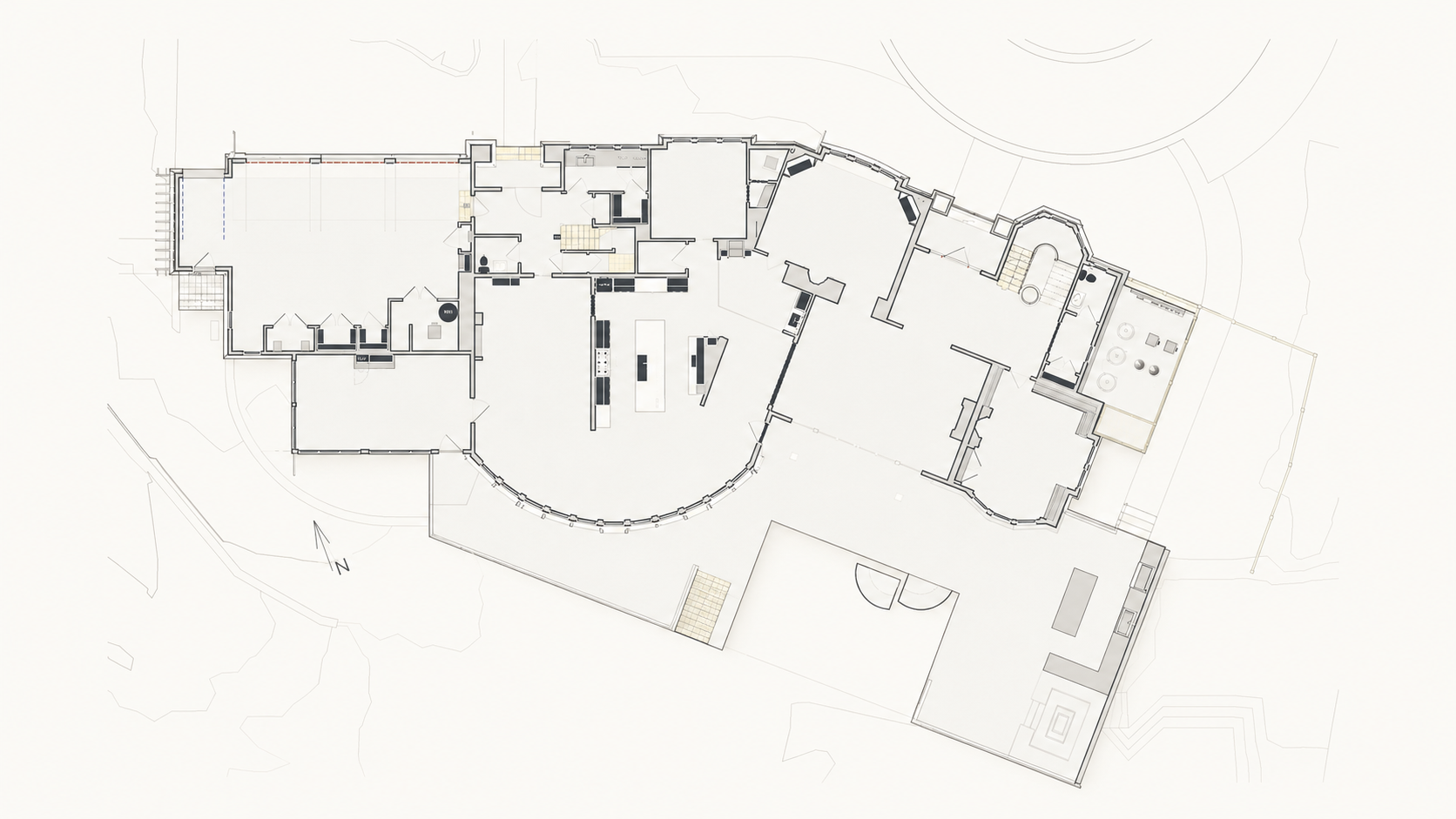
Readable technical graphics
Plans, sections, and model views give both technical and non-technical stakeholders a clearer way into the project.
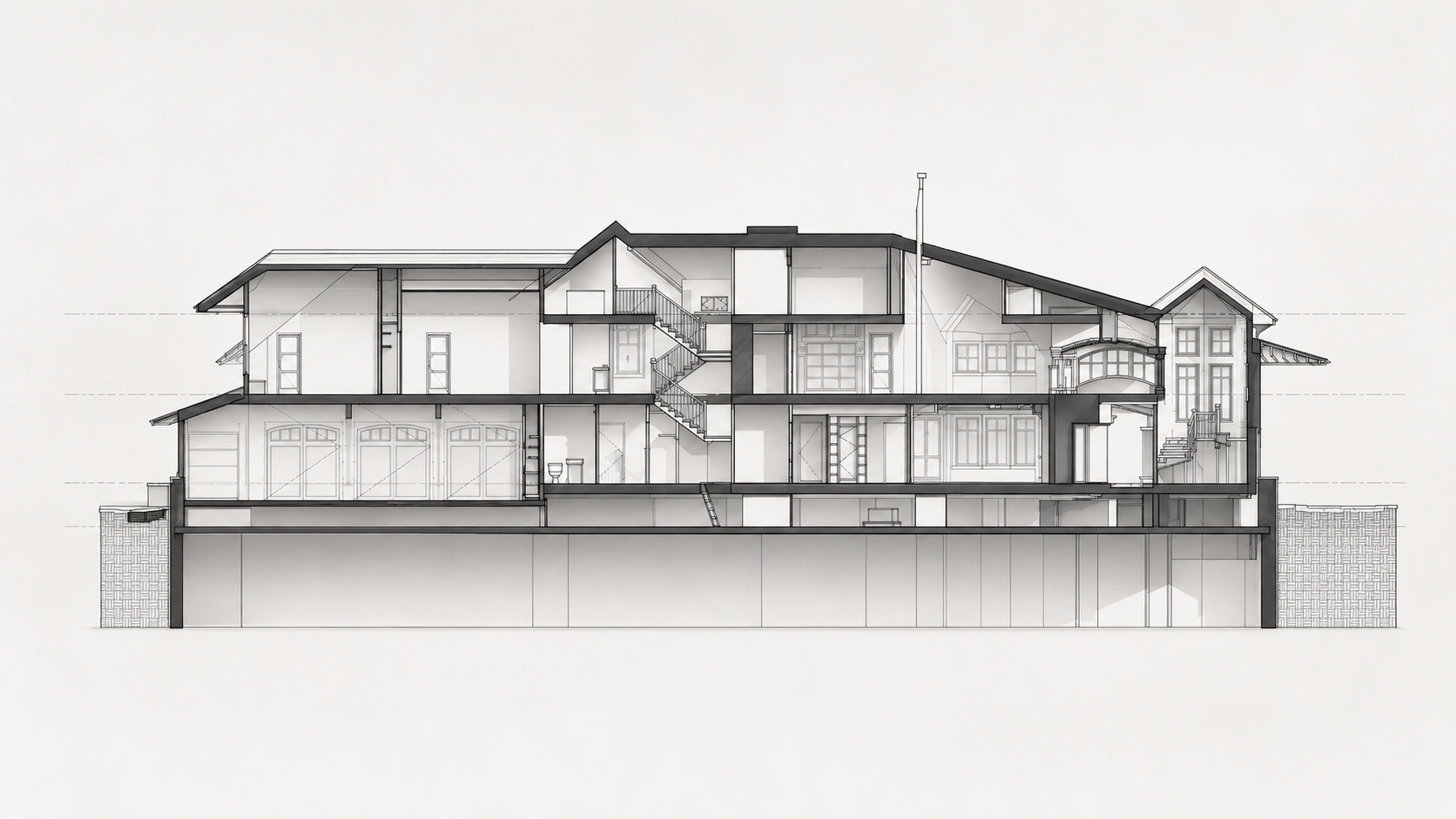
Plans, elevations, sections unified
The documentation set provides a coordinated reference for building form, floor levels, spatial relationships, and exterior conditions.
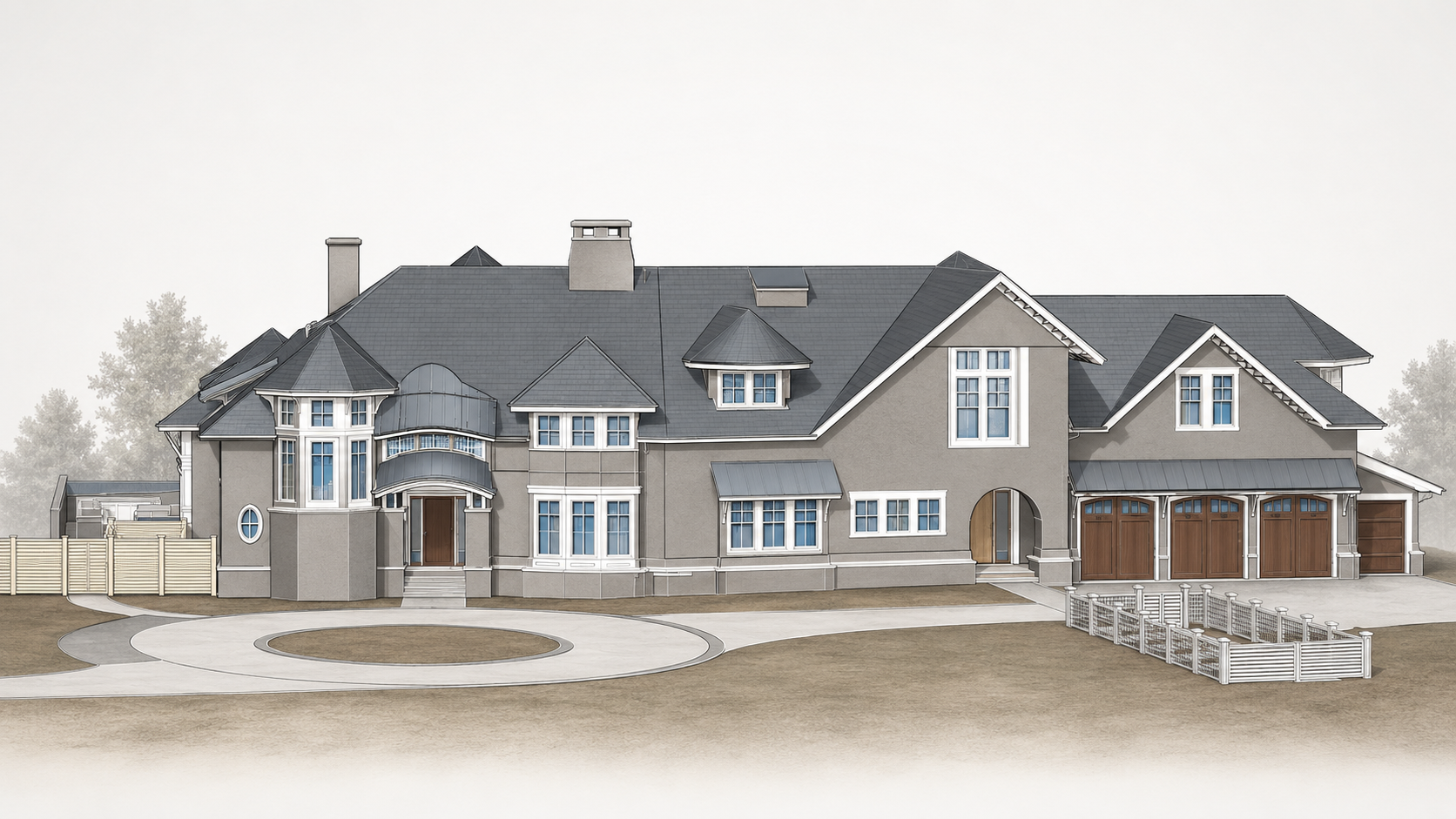
Exterior geometry made legible
Multiple model views help the team quickly understand massing, façade organization, roof complexity, and exterior features.
Understanding the site from shoreline to structure
Waterfront context, surrounding grade, exterior geometry, and access conditions were captured as part of a coordinated existing-conditions documentation package.
A moving view of the property and its surroundings.
Drone documentation adds another layer of site understanding, showing the relationship between the residence, waterfront, landscape, access, and surrounding conditions from above.
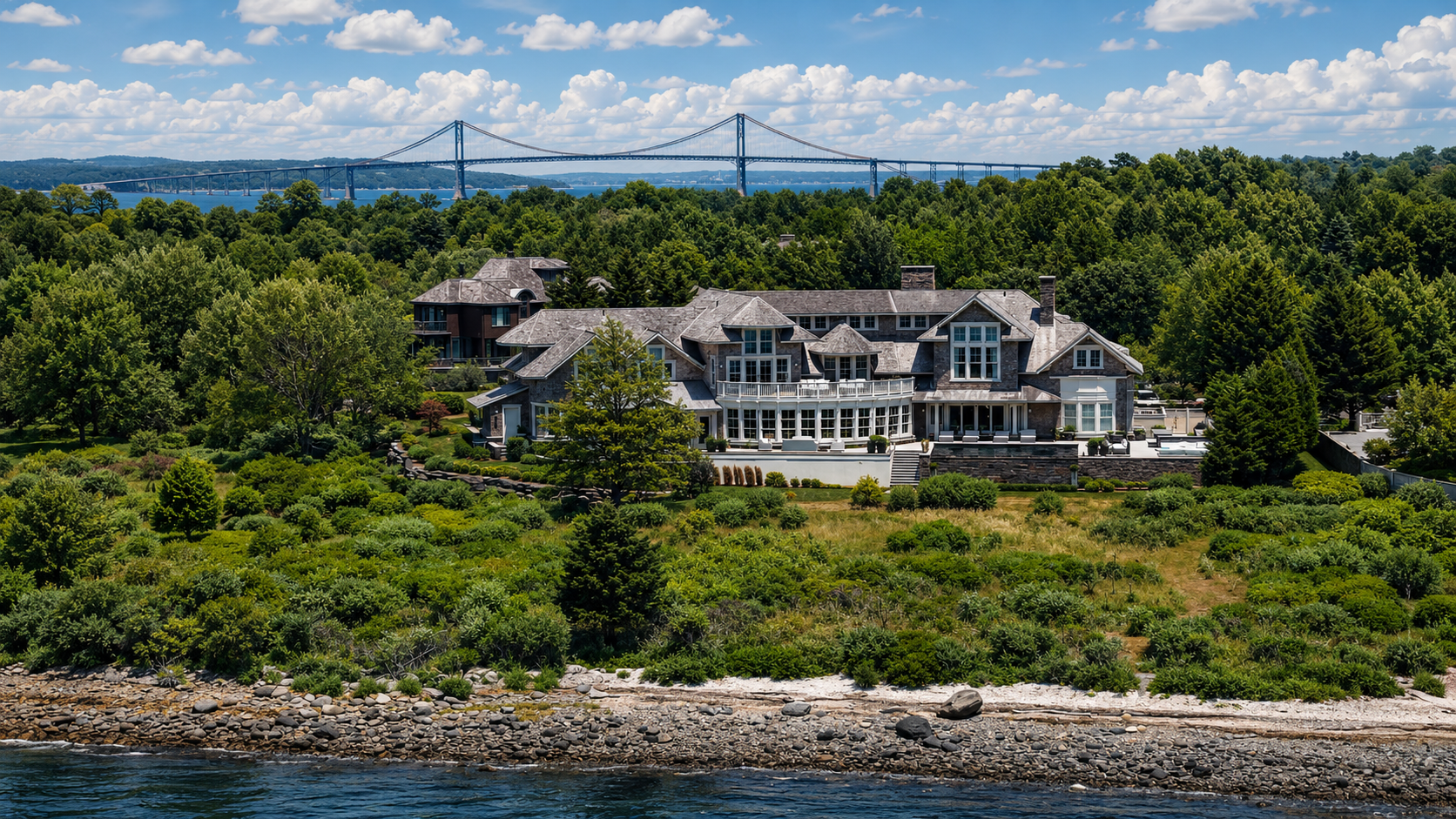
See the property from above
Watch the aerial video for a broader view of the property, waterfront setting, and surrounding site context.
Drone documentation provides an additional visual record of the property, showing the relationship between the residence, waterfront, landscape, access, and surrounding site context from above.
Capture the existing condition before design decisions begin
Renovation projects often start with incomplete information. Existing-conditions documentation creates a reliable understanding of the property so architects, builders, and consultants can evaluate opportunities, constraints, and design options with greater confidence.
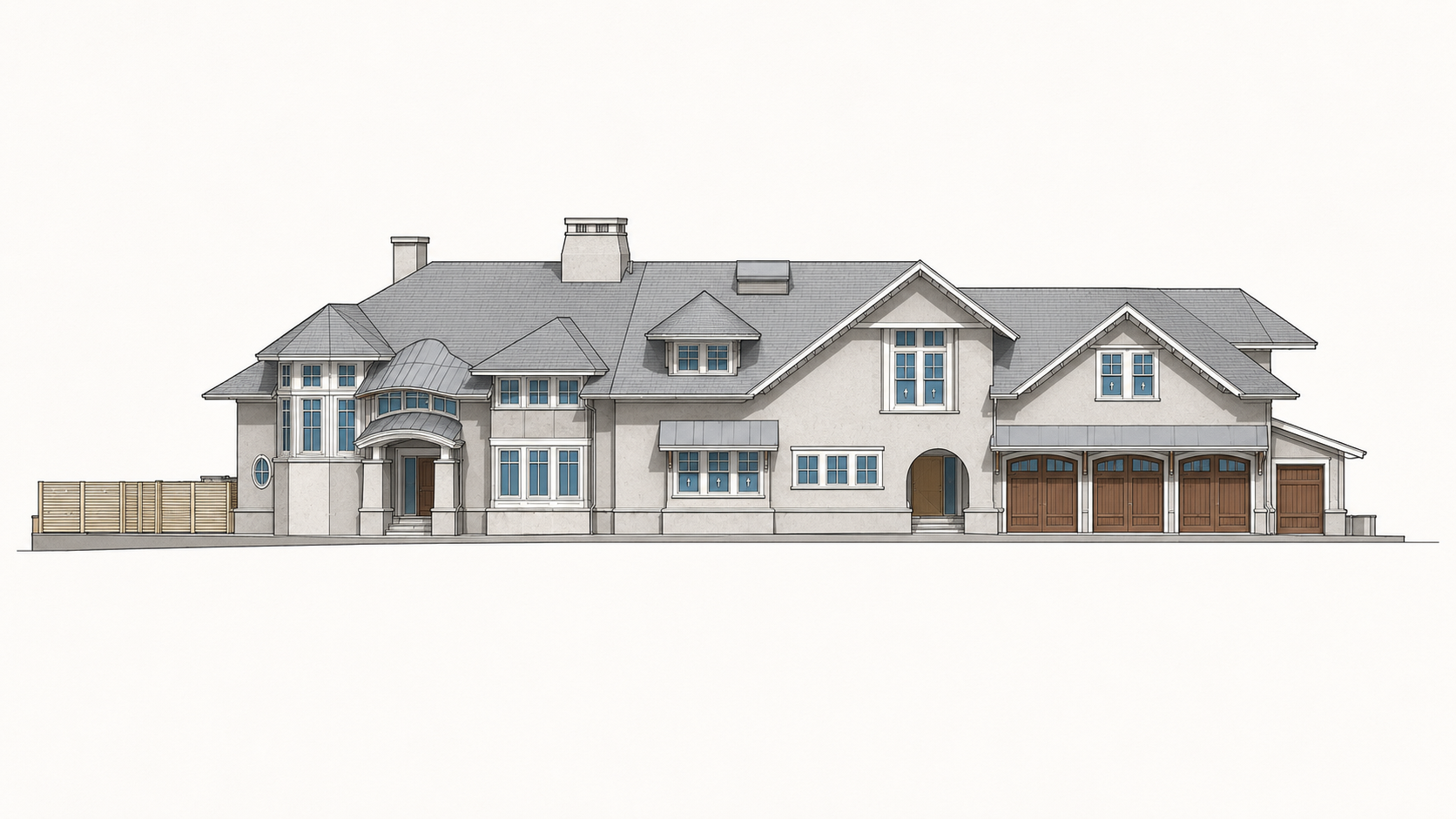
The challenge is not only measuring the building. It is understanding how everything connects.
Residential renovation decisions depend on the relationship between structure, spaces, exterior conditions, and surrounding context. A coordinated capture process transforms those existing conditions into usable information that supports better collaboration and fewer assumptions throughout design.
A complete package built for the next phase of design
The value is not one file type. The value is the organized context around the property: measured geometry, model intelligence, drawing outputs, visual media, and easy ways for the project team to review what was captured.
Revit Existing-Conditions Model
Design-ready BIM geometry structured for downstream coordination and renovation planning.
SketchUp Visual Model
Flexible model views for faster communication, massing review, and stakeholder orientation.
CAD + PDF Documentation
Plans, elevations, and sections packaged for technical review and project startup.
Drone Photo + Video
Aerial imagery and video to show shoreline context, roof geometry, landscape, and access.
360 + Shared Media
Kuula review assets plus organized photo and video folders so the client has more context, not less.
Shoreline context
Property setting, water frontage, landscape, and neighboring context.
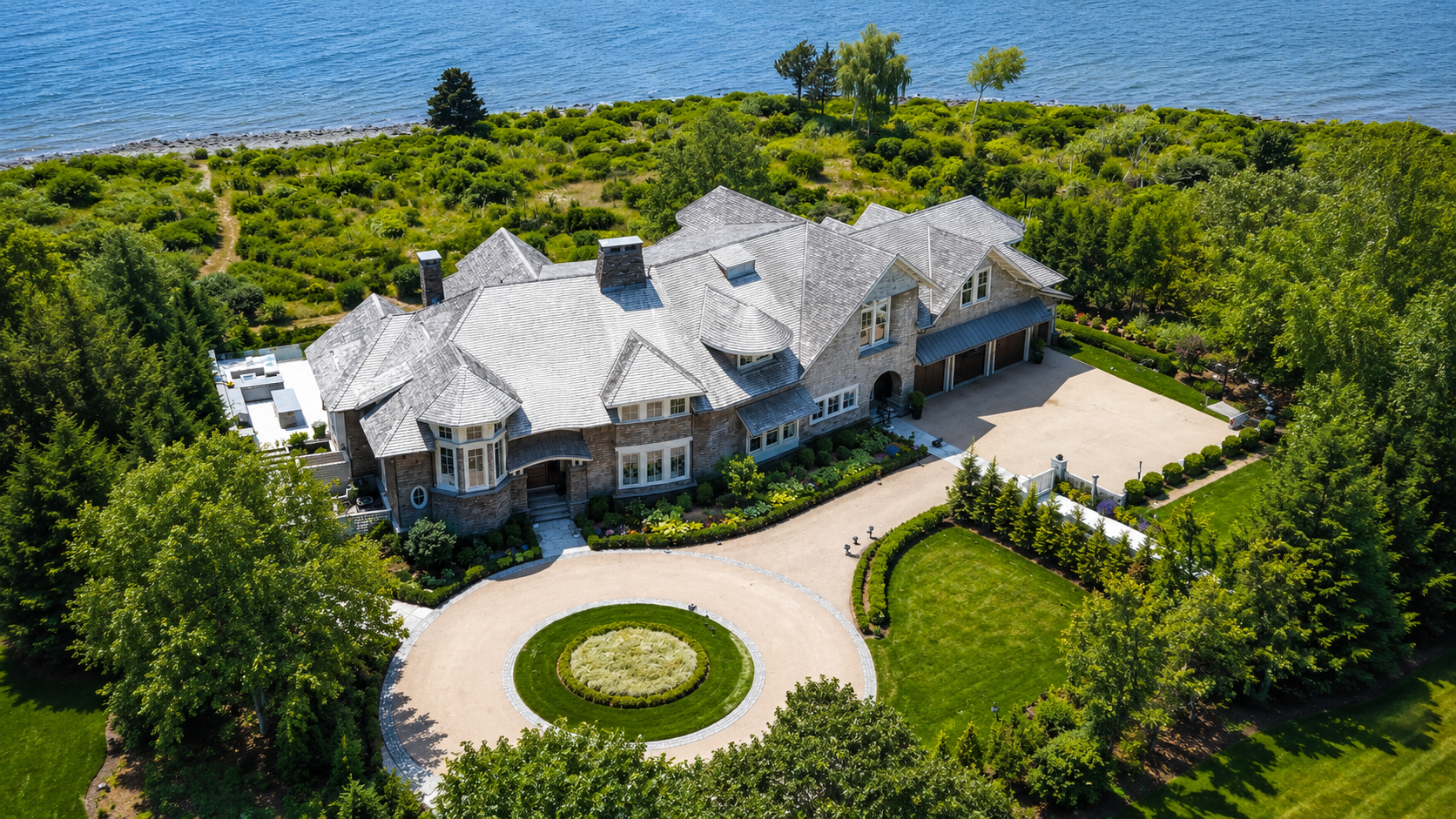
Arrival sequence
Driveway, grade, landscape, exterior access, and garage relationships.
Exterior model
Architecture, roof geometry, façade organization, terraces, and site elements.
Drawing package
Plans, elevations, sections, and model-derived documentation for project startup.
Experience shows up in the handoff
The best documentation teams do not simply collect data. They know what matters, what to ignore, what to model, what to share, and how to package it so the next team can work.
We scope for the decision ahead
Each capture effort is shaped around what the client, architect, consultants, and builder need to understand next.
We know the deliverable ecosystem
Revit, CAD, SketchUp, PDF, drone media, 360 photography, and shared file structures all play different roles in helping a project move forward.
We make complex properties easier to communicate
The goal is not to show every piece of data. The goal is to make the right information accessible, clear, and usable for the people who need it.
Give the next team a clear, confident starting point.
From high-end residential properties to campuses, historic buildings, and commercial spaces, Pointknown helps teams begin with dependable existing conditions and context they can use.