

Reality Capture Context for Existing Buildings
Drone, 360, and immersive visual documentation that helps project teams understand the site before they design, coordinate, or make decisions.
Existing-condition drawings and models are the baseline. Visual context adds the “what does this actually look like?” layer — roof access, site relationships, ceiling conditions, finishes, equipment, circulation, and the small realities that usually require another site visit.
Drawings show what is there. Context helps the team understand it.
A plan, model, or point cloud can answer a lot. But when the project team needs to see roof access, surrounding site conditions, finishes, ceiling conditions, exterior relationships, or what the space actually feels like, visual context becomes the easy button.
It bridges the gap between technical documentation and real-world understanding—so architects, owners, consultants, and contractors can move faster with fewer assumptions and clearer alignment.
Reduce follow-up visits
Give the team a shared visual record they can revisit before asking someone to return to the site.
Coordinate faster
Architects, owners, consultants, and contractors review the same conditions instead of relying on scattered photos or memory.
Understand complex spaces
Roofs, basements, historic buildings, schools, restaurants, and irregular sites become easier to interpret visually.
Support better decisions
Combine imagery with CAD, Revit, scan data, and field notes to move forward with fewer unknowns.
Look around the space from a single captured position.
A 360 photo lets the project team pan in every direction and better understand views, finishes, ceiling conditions, openings, and the relationship between the interior and its surroundings.
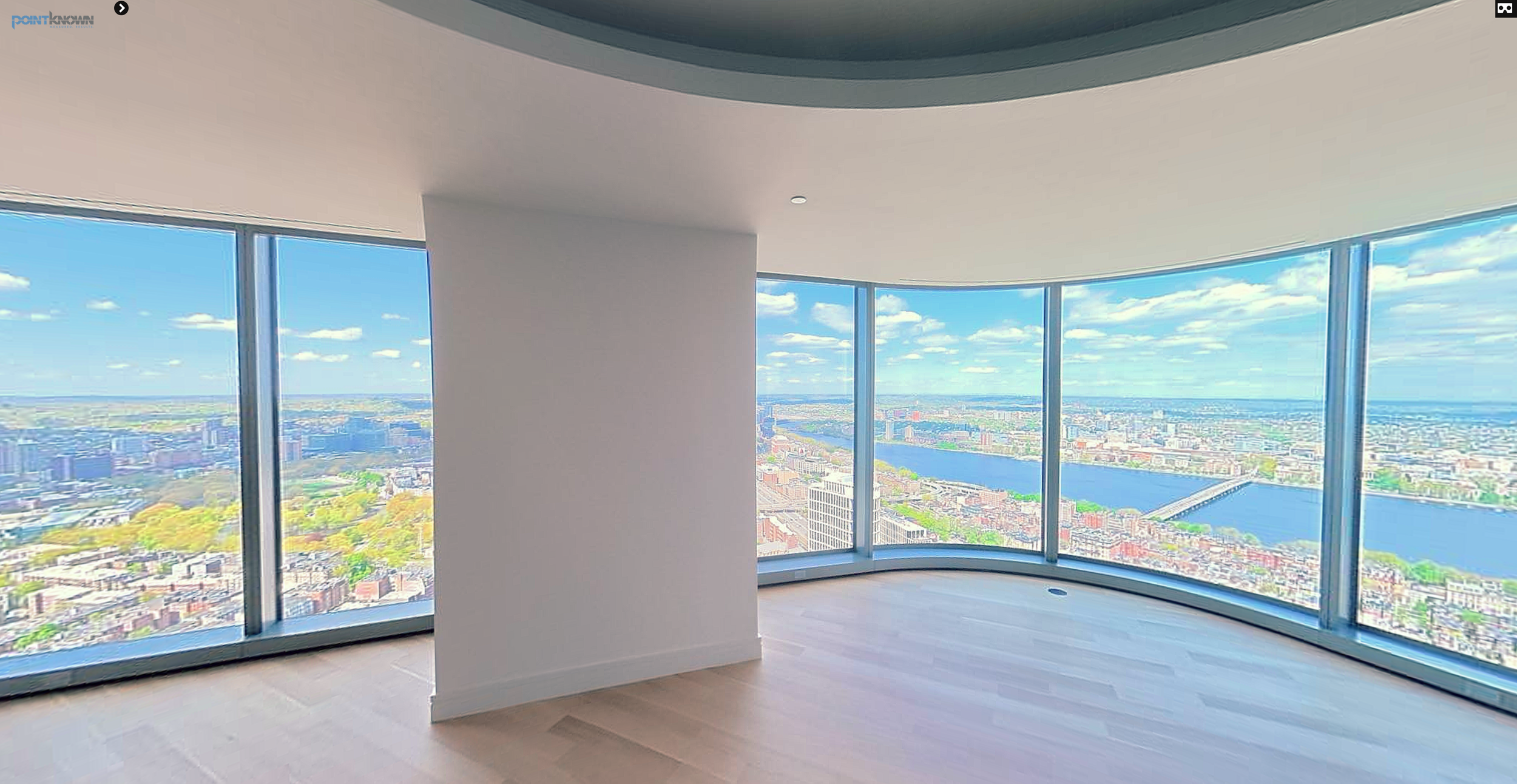
Explore the view in every direction
Click to load the interactive Kuula 360 photo. Drag to look around the interior and out toward the Boston skyline.
Single-position 360 photography hosted on Kuula — useful for understanding a space beyond the limits of a conventional still photograph.